Keep your mile log
EveryoneOn board
Every crew member keeps their own mile log for the trip. It becomes your proof of miles sailed.
- Open Miles in the trip.
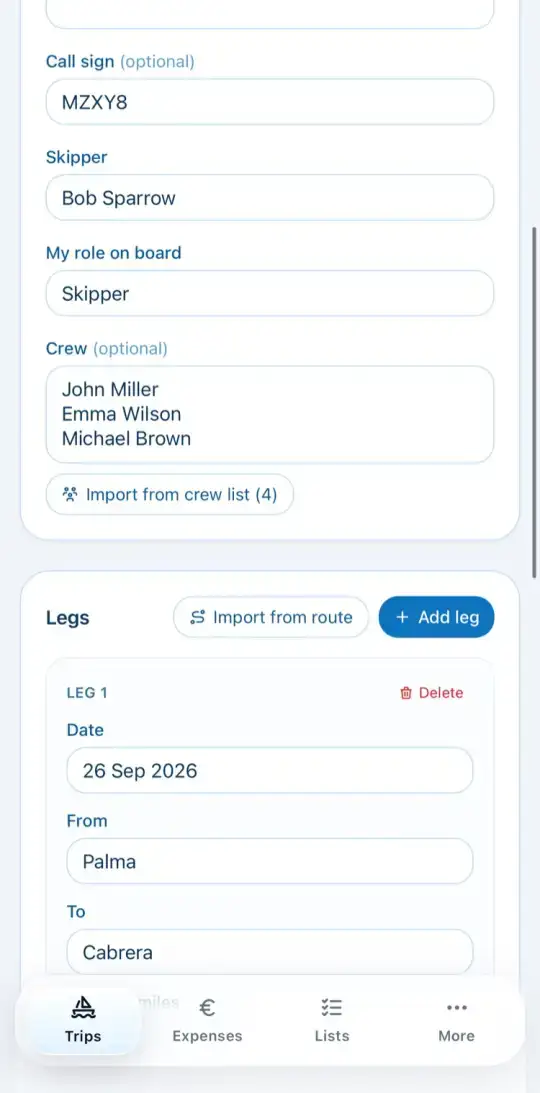
- Under Ship & crew you'll find the vessel details. Import from crew list fills in the crew.
- Under Legs, tap Add leg and enter date, from, to, nautical miles and hours. Wind and remarks are optional.
- Or take over the legs with Import from route.