Create your first trip
AdminBefore the trip
A trip is the shared workspace for exactly one journey. Whoever creates it becomes its admin automatically.
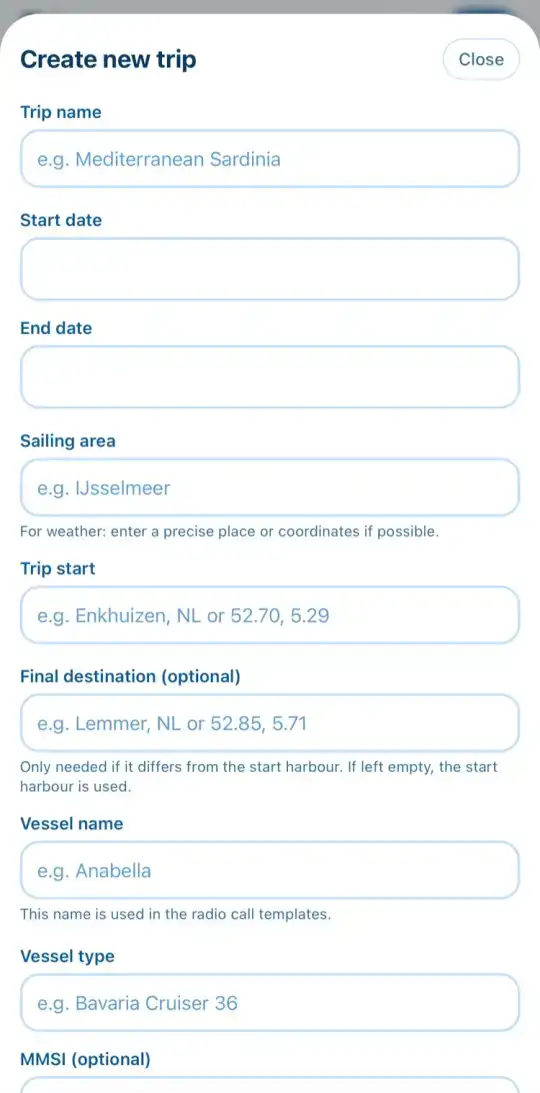
- Open the Trips tab and tap New at the top right.
- Give the trip a name and enter start and end date.
- Enter the Sailing area and the Trip start, ideally a harbour with country or coordinates. The app uses it for the weather.
- You only need a different final destination if you don't return to the start harbour.
- Add the vessel details. Vessel name, callsign and MMSI go straight into the radio call helper later.
- Save the trip. It appears in your list of trips.
Edit, archive, delete
On a phone, swipe a trip card in the list sideways: right for Edit, left for Archive and Delete. On the iPad and in the browser, Edit sits right on the card.